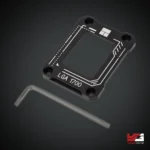
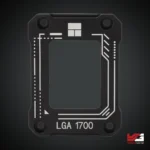
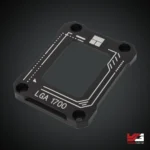
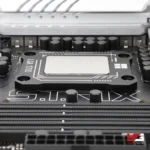
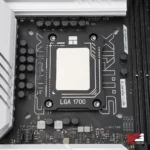
Thermalright LGA1700-BCF BLACK V2

 1,500

  • Brand: Thermalright
  • Model: LGA1700-BCF BLACK V2
  • Product Type: CPU Bending Correction Frame
  • Material: CNC-machined aluminum
  • Color: Black
  • Socket Compatibility: Intel LGA1700
  • Supported CPUs: Intel 12th Gen, 13th Gen, 14th Gen
  • Function: CPU bending correction and mounting pressure improvement
  • Installation: Replaces stock Intel retention bracket
  • Use Case: Gaming PCs, Overclocking systems, Cooling optimization

In stock

SKU: Thermalright LGA1700-BCF BLACK V2 Categories: ,

RELATED PRODUCTS

Thermalright LGA1700-BCF BLACK V2:
Comprehensive Review & Buying Guide

Thermalright LGA1700-BCF BLACK V2 – The Ultimate CPU Bending Fix for Intel Gaming PCs

High-end gaming PCs today push hardware harder than ever before. Modern Intel processors deliver incredible performance, but they also generate significant heat. Many enthusiasts eventually discover a hidden issue affecting cooling efficiency—CPU bending caused by the LGA1700 socket mechanism.

This is where the Thermalright LGA1700-BCF BLACK V2 becomes incredibly valuable.

The Thermalright LGA1700-BCF BLACK V2 is a precision-engineered LGA 1700 bending correction frame designed to replace the stock CPU retention bracket found on Intel motherboards. Its job is simple but powerful: apply even pressure across the CPU surface, preventing bending and improving contact between the processor and the cooler.

Imagine placing a book on a slightly curved table. No matter how heavy the book is, only part of it touches the surface. The same thing happens with a CPU when bending occurs. Instead of the entire heat spreader touching the cooler evenly, only portions make proper contact.

By installing a Thermalright CPU frame V2, gamers can significantly improve cooling performance, stabilize temperatures, and eliminate the uneven pressure problem affecting many Intel 12th Gen, Intel 13th Gen, and Intel 14th Gen processors.

For PC builders who care about optimal cooling and maximum gaming performance, this small upgrade can make a surprisingly large difference.

1. Understanding Thermalright LGA1700-BCF BLACK V2

The Thermalright LGA1700-BCF BLACK V2 is a specialized mounting accessory designed to correct CPU bending issues found in Intel’s LGA1700 platform.

When Intel introduced the LGA1700 socket, the shape of the processor changed. The CPU became slightly rectangular rather than square, which altered how pressure is applied by the stock motherboard retention bracket.

Unfortunately, the default bracket sometimes applies uneven pressure across the processor. This can cause slight bending in the CPU heat spreader.

That bending leads to:

  • Poor cooler contact
  • Higher CPU temperatures
  • Uneven thermal paste spread

The LGA 1700 bending correction frame solves this problem by replacing the standard bracket with a stronger and more evenly distributed mounting frame.

Instead of relying on a pressure lever that can bend the processor, the frame ensures the CPU remains flat inside the socket.

This small modification becomes a powerful CPU temperature reduction mod, particularly for gaming systems running powerful processors.

2. Why Thermalright LGA1700-BCF BLACK V2 Matters for Gaming PCs

If you’re building or upgrading a gaming system, cooling performance matters more than you might think.

CPU Bending and Gaming Performance

When a CPU bends slightly, the cooler cannot sit perfectly flat on the processor. This leads to uneven thermal contact.

Even a small gap can trap heat.

Over time, that heat buildup may cause:

  • Higher CPU temperatures
  • Reduced boost clock speeds
  • Fan noise increase
  • Performance instability

The Thermalright LGA1700-BCF BLACK V2 eliminates these problems by providing a reliable cpu bending fix that keeps the processor perfectly aligned.

Gamers who install the frame often notice lower CPU temperatures during heavy gaming sessions.

Improved Cooler Contact for Better Heat Transfer

Good cooling depends on one simple thing: solid contact between the CPU and cooler.

Without proper contact, thermal paste cannot distribute heat effectively.

By acting as a precision heatsink mounting bracket LGA1700, this frame allows the cooler to press evenly across the processor surface.

This leads to improved thermal transfer and better cooling efficiency.

3. Key Features of Thermalright LGA1700-BCF BLACK V2

The design of this frame focuses on durability, precision, and cooling performance.

High-Quality Black Aluminum CPU Buckle

The frame is constructed from CNC-machined aluminum, providing both strength and precision.

The black aluminum CPU buckle design ensures:

  • Strong structural support
  • Perfect alignment with the CPU
  • Long-term durability

Unlike the stock motherboard bracket, the aluminum frame maintains consistent pressure across the processor.

This ensures optimal cooler contact.

Advanced CPU Anti-Bending Buckle Design

The cpu anti-bending buckle design prevents the processor from flexing under pressure.

Instead of concentrating force in the center, the frame distributes pressure evenly around the CPU edges.

This simple mechanical change dramatically improves the CPU mounting stability.

Improved Compatibility with Modern Intel CPUs

The frame supports several generations of Intel processors.

It works with:

  • Intel 12th Gen contact frame setups
  • Intel 13th Gen cooling mod builds
  • Intel 14th Gen bending frame configurations

This wide compatibility ensures that gamers upgrading their CPUs can continue using the same frame.

4. Installing Thermalright LGA1700-BCF BLACK V2 Correctly

Installing a contact frame may sound complicated, but the process is surprisingly simple.

With the right approach, most PC builders can install the frame in just a few minutes.

Preparing the System for Installation

Before installing the frame, power off the PC and remove the CPU cooler.

You will need:

  • A small screwdriver
  • Thermal paste
  • The contact frame kit

Carefully remove the stock Intel retention bracket from the motherboard.

Once removed, the processor will remain inside the socket.

Installing the Thermalright CPU Frame V2

The Thermalright CPU frame V2 is designed to align perfectly with the LGA1700 socket.

Installation steps include:

  1. Position the frame over the CPU socket.
  2. Align the screw holes with the motherboard.
  3. Secure the frame evenly using the provided screws.

Once installed, apply thermal paste and reinstall the cooler.

The frame will ensure even pressure across the processor, improving cooling performance.

5. Thermalright LGA1700-BCF BLACK V2 vs Standard Intel Bracket

Many gamers wonder whether replacing the stock bracket is actually worth it.

Let’s compare both options.

Stock Intel Retention Bracket

The standard Intel bracket uses a lever mechanism to hold the CPU in place.

While effective for general use, it can sometimes apply uneven pressure across the processor.

This uneven pressure may lead to:

  • Slight CPU bending
  • Reduced cooler contact
  • Higher temperatures

For casual systems, this may not be noticeable.

But for gaming PCs, every degree matters.

Thermalright Contact Frame Advantage

The Thermalright LGA1700-BCF BLACK V2 replaces the stock bracket with a precision mounting frame.

Advantages include:

  • Even CPU pressure distribution
  • Improved cooler contact
  • Better thermal performance
  • Reduced CPU bending

For enthusiasts seeking optimal cooling, this small upgrade can significantly improve system performance.

6. Best Use Cases for Thermalright LGA1700-BCF BLACK V2

The frame is especially useful for high-performance gaming systems.

High-End Gaming PCs

Powerful gaming systems using Intel processors benefit greatly from this frame.

Systems running:

  • Core i5 gaming processors
  • Core i7 high-performance CPUs
  • Core i9 enthusiast builds

often generate large amounts of heat.

The frame improves cooler contact, helping maintain stable temperatures during intense gaming sessions.

Overclocked Systems

Overclocking increases processor frequency and voltage, which leads to more heat output.

Installing the frame improves cooling efficiency, making it an effective CPU temperature reduction mod.

Custom PC Builds

Many builders install the frame during system assembly to prevent future bending issues.

This is especially common in enthusiast builds using advanced Yalman Gaming PC cooling setups.

7. Buying Thermalright LGA1700-BCF BLACK V2 in Pakistan

The demand for high-performance cooling accessories is growing rapidly among PC enthusiasts.

Gamers building modern Intel systems often search for the best LGA 1700 contact frame Pakistan when optimizing their cooling setups.

High-quality cooling accessories are essential for maintaining stable gaming systems.

At Yalman Gaming Lahore, PC builders can find reliable components designed to improve cooling efficiency and system performance.

Whether assembling a custom gaming PC or upgrading an existing build, accessories like this frame help ensure processors operate at optimal temperatures.

8. Final Thoughts on Thermalright LGA1700-BCF BLACK V2

Cooling efficiency often depends on small details. While powerful coolers and thermal paste play major roles, the CPU mounting mechanism also affects performance.

The Thermalright LGA1700-BCF BLACK V2 solves a critical issue found in Intel’s LGA1700 platform by preventing CPU bending and ensuring even pressure distribution.

With its precision aluminum construction, improved mounting design, and wide CPU compatibility, the frame helps gamers achieve better cooling performance and more stable temperatures.

For PC enthusiasts who want to maximize the potential of their Intel processors, the Thermalright LGA1700-BCF BLACK V2 is a simple yet powerful upgrade that can improve cooling efficiency and overall system reliability.

Frequently Asked Questions

What does Thermalright LGA1700-BCF BLACK V2 do?

It replaces the stock Intel CPU retention bracket and prevents CPU bending, ensuring better cooler contact and improved thermal performance.

Is Thermalright LGA1700-BCF BLACK V2 compatible with Intel 13th Gen CPUs?

Yes. The frame supports Intel 12th Gen, 13th Gen, and 14th Gen processors using the LGA1700 socket.

Does installing a contact frame reduce CPU temperatures?

Yes. By improving cooler contact, the frame can help lower CPU temperatures and improve thermal efficiency.

Is the Thermalright contact frame difficult to install?

No. Most PC builders can install the frame in a few minutes using a screwdriver and basic PC building knowledge.

Is Thermalright LGA1700-BCF BLACK V2 safe for motherboards?

Yes. The frame is designed specifically for LGA1700 motherboards and distributes pressure evenly to protect the CPU and socket.

Thermalright LGA1700-BCF Bending Correction Frame V2 (Black)

Product Specifications

Product Type CPU Bending Correction Frame
Model LGA1700-BCF V2
Compatibility Intel LGA1700 Socket (12th / 13th / 14th Gen CPUs)
Material CNC Machined Aluminum Alloy
Function Prevents CPU Bending & Improves Cooler Contact Pressure
Cooling Benefit Improves Thermal Transfer Between CPU & Cooler
Installation Direct Replacement for Intel Stock ILM Frame
Color Black
Recommended Use Gaming PCs · High-End CPUs · Overclocked Systems
Package Includes BCF Frame · Installation Tool · Mounting Screws
Warranty Brand Warranty


Link to Official Page     Explore More Products

BrandThermalright
Yalman Gaming Shipping and Delivery Service in Pakistan

Please allow a minimum of 1 working days for the processing of the order

Delivery times vary based on location:

  • Lahore orders: 1-2 business days
  • Out-off City orders: 2-4 business days